43frames
Back to Blog
February 10, 2026

Elevate ai generated headshots for linkedin with AI-powered polish

ai generated headshots for linkedin that boost trust and credibility. Learn how to pick the right photo, guide the AI, and optimize your profile picture.

ai generated headshots for linkedinai headshot generatorlinkedin profile pictureprofessional headshots43frames
43frames

Elevate ai generated headshots for linkedin with AI-powered polish

ai generated headshots for linkedinai headshot generatorlinkedin profile pictureprofessional headshots
February 10, 2026

Your LinkedIn picture is your digital handshake. It’s the very first thing recruiters, potential clients, and future colleagues see, and it sets the tone for your entire professional brand. A great headshot instantly signals competence and confidence.

But let's be honest, getting that perfect shot has always been a pain. It meant finding a good photographer, shelling out a few hundred dollars, and blocking off half a day for a photoshoot. It was a significant investment, especially early in your career.

Now, AI headshot generators are completely changing the game. You can get hundreds of studio-quality options in minutes, right from your computer, by just uploading a few of your own casual photos. It’s a fast, affordable way to get a seriously polished look.

Why AI Headshots Are Your New Secret Weapon

Think of your LinkedIn photo as the anchor of your personal brand. Before anyone reads a single word about your experience or skills, they’ve already made a split-second judgment based on that picture. Is it professional? Approachable? Confident? A polished headshot isn't just a nice-to-have; it's a critical asset.

The old way was a hassle. A decent photoshoot could easily run you $300 to $600, not to mention the time spent finding a photographer, scheduling the session, and waiting for the final edits. I know one professional who had to save $150 a month for four months just to afford a good session when she was starting out.

The Big Shift: From Photoshoots to AI Prompts

AI headshot tools have turned that entire process on its head. Now, you can achieve results that look like they came from a professional studio without ever leaving your desk. This is more than just a convenience—it's about making professional branding accessible to everyone.

Look at the numbers. Platforms like HeadshotPro have already generated over 7 million headshots. For just $29, you can get a package with 120 different images. Compare that to the old way, and the value is undeniable.

Here’s why so many people are making the switch:

  • It's Incredibly Cost-Effective: You're cutting out the photographer, the studio rental, and all the associated costs.
  • You Get Results Fast: We're talking minutes or hours, not days or weeks. You can have a new headshot ready to go by the end of your lunch break.
  • You Have Total Control: Want to see what you look like in a different suit? Or with a different background? You can experiment with countless styles to find the exact look that fits your professional identity.

Your LinkedIn profile is the first stop for recruiters, collaborators, and clients. An AI-generated headshot ensures that first impression is not just good, but exceptional and perfectly aligned with your career goals.

Who Is This For, Really?

This technology is a game-changer for almost everyone.

Freelancers and consultants can build a credible, polished brand without draining their budget. Remote teams can finally get consistent, high-quality headshots for everyone, creating a unified company look no matter where people are located. And if you're on the job hunt, you can instantly update your profile with a picture that says you're serious and ready for the next step.

The magic behind this is often a process called image-to-image AI, which is brilliant at transforming simple selfies into something truly professional. You can learn more about how image-to-image AI works and see why it's so effective.

Choosing the Right Photos for Flawless AI Results

The secret to a great AI headshot isn't the AI—it's you. More specifically, it's the photos you feed the system. The old saying "garbage in, garbage out" has never been more true. To get a LinkedIn profile picture that looks polished, professional, and genuinely like you, the AI needs a crystal-clear blueprint of your face.

Think of it like training a new assistant. You need to give it a complete and varied set of examples to learn from. By providing the AI model with your face from different angles, in various lighting, and with a range of expressions, you're helping it build a comprehensive understanding of your unique features.

A few minutes spent gathering the right photos now will save you a world of frustration and disappointing results later.

Curating Your Photo Collection

First things first, you'll need to round up between 10 to 20 high-quality photos of yourself. The keyword here is variety. Simply grabbing a dozen selfies from the same afternoon won't cut it. You need to give the AI a diverse dataset to work with.

Here’s what to look for when pulling your collection together:

  • Multiple Angles: Mix it up. Find photos where you're looking straight ahead, some with a three-quarter turn, and even a couple of profile shots. This variety is crucial for helping the AI build an accurate 3D model of your head.
  • Varied Expressions: A warm, professional smile is a must, but don't stop there. Include photos with a more neutral or thoughtful expression, too. This gives the AI more to work with, allowing it to generate headshots with more nuance and authenticity.
  • Different Lighting: Natural light is your best friend. Photos taken outside on a slightly overcast day or near a bright window tend to work best. Steer clear of harsh, direct sunlight that creates deep shadows, and avoid dark, grainy indoor pictures.

When you give the AI a rich and varied set of images, it can produce far more accurate and versatile headshots. The prep work is minimal when you consider the payoff.

As you can see, the time and money saved are significant. A traditional photoshoot can easily run you $300-$1000 and take a good chunk of your day, while AI gets it done in minutes for a fraction of that cost.

Reference Photo Checklist for Optimal AI Headshots

To make it even easier, I've put together a quick checklist. This table breaks down what an ideal reference photo looks like versus the common mistakes that can derail the AI's learning process.

Characteristic What to Do (The Ideal Photo) What to Avoid (The Common Mistake)
Clarity Use crisp, high-resolution images. Your face should be in sharp focus. Uploading blurry, pixelated, or out-of-focus pictures.
Obstructions Your entire face, especially your eyes and jawline, is clearly visible. Wearing sunglasses, hats, or having your hair cover a large part of your face.
Editing Upload raw, unedited photos straight from your phone or camera. Using photos with heavy Instagram-style filters, skin smoothing, or alterations.
Subject You are the only person in the frame. A simple background is best. Submitting group photos or images where other people or even pets are visible.
Consistency Use recent photos that accurately reflect your current appearance. Uploading pictures from 5-10 years ago with a different hairstyle or look.
Lighting Soft, even lighting that illuminates your features without harsh shadows. Photos taken in direct sunlight, dark rooms, or with dramatic, uneven lighting.

Sticking to the "What to Do" column is your best bet for getting results that you'll actually want to use.

Common Mistakes That Sabotage AI Results

Knowing what not to do is just as important. Some photos actively confuse the AI, leading to bizarre, distorted, or completely unusable images. Think extra fingers, wonky eyes, or a face that just doesn't look like yours.

Your input photos are the single most important factor for success. The AI can only work with what you give it, so a few minutes of careful selection makes all the difference between a stunning headshot and a digital disaster.

To avoid a frustrating outcome, make sure you filter out these common problems from your selection:

  • Sunglasses and Hats: Anything that hides your core features, especially your eyes, is a definite no. The AI needs to see your complete facial structure to work its magic.
  • Heavy Filters or Editing: That perfectly curated Instagram photo is not what you want here. Filters and heavy retouching warp your features and teach the AI the wrong things about your face.
  • Group Photos: This is a big one. Only upload photos of yourself. Including others in the frame will confuse the AI, often resulting in strange, merged faces.
  • Low-Resolution Images: If the photo is blurry or pixelated to your eye, it's definitely not good enough for the AI. It needs sharp, clear details to analyze your features accurately.

Bringing Your AI Headshot to Life with 43frames

Alright, you've got your reference photos ready to go. Now for the fun part: telling the AI what you want it to create. When you use a tool like 43frames, you’re not just uploading pictures; you're stepping into the role of a creative director. Your job is to guide the AI to produce a headshot that truly represents your professional brand.

You basically have two ways to approach this. You can either pick a pre-built style preset for a quick, reliable result, or you can write your own custom prompt from scratch to get something truly unique. Neither is "better"—it just depends on how much control you want.

The Easy Route: Choosing a Style Preset

If you want a polished, professional look without a lot of fuss, presets are your best friend. Think of them as pre-approved templates that have been tested and refined to work well for specific professional contexts. A good platform will have a library of these, so you can just browse and find one that fits your industry’s vibe.

For instance, you'll often find presets like:

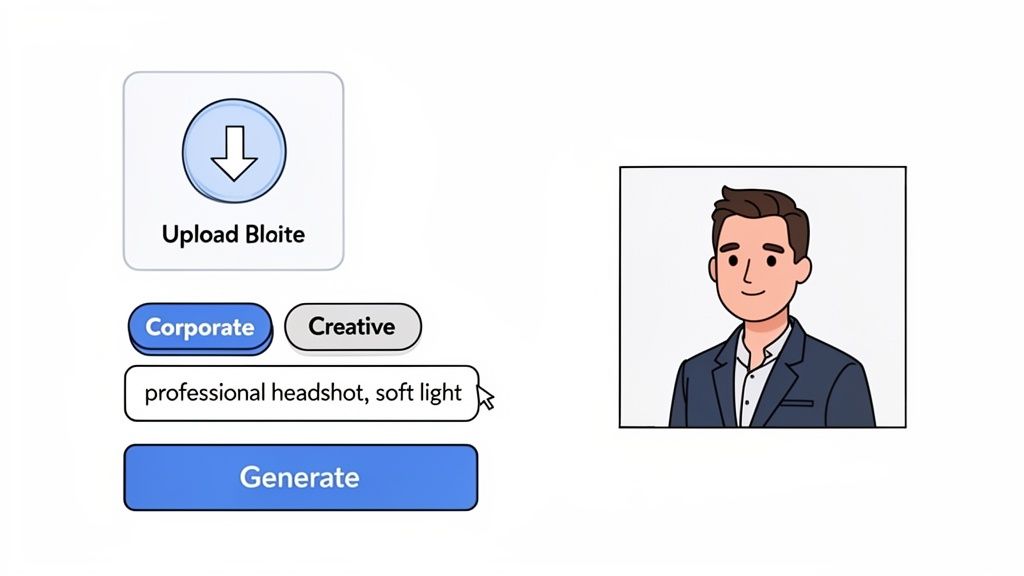
  • Corporate: This gives you that classic, clean look—perfect for anyone in finance, law, or a C-suite role. Think sharp suit, simple background.
  • Creative: A bit more artistic. You might see more interesting lighting or backgrounds here, which is great for designers, marketers, or founders.
  • Outdoor: This style puts you in a natural environment with soft, flattering light. It feels more modern and approachable.

You can find some great examples right here: https://www.43frames.com/presets/portrait-linkedin-headshot.

Picking a preset is usually just a one-click process. You choose the style that matches your brand, and the AI takes care of all the details—the lighting, background, and even the clothes. It's the fastest way to get a great ai generated headshot for linkedin.

Here’s a glimpse of what the 43frames interface looks like. It’s pretty intuitive; you just select a style and can add a few keywords if you like.

This visual-first approach means you don't need to be a tech wizard to get exactly what you’re looking for.

For Total Control: Crafting a Custom Prompt

Have a very specific vision? Writing your own prompt is the way to go. A well-crafted text prompt is like giving the AI a detailed creative brief. You can dictate everything from the expression on your face to the exact type of background you want. The trick is to be clear and descriptive.

I find it helps to build the prompt in layers. Start with the basics and then add more detail to really nail the final image. A solid structure usually covers the subject, setting, lighting, and what you’re wearing.

My biggest tip here? Be specific. Vague prompts get vague results. Instead of just saying "office background," try "out-of-focus modern office with warm, ambient lighting." That subtle difference gives the AI much clearer instructions and leads to a far more sophisticated photo.

Let's walk through a real-world example. Say you're a tech startup founder who wants a headshot that looks confident but also a little bit casual and approachable.

A good prompt might be: Professional headshot of a tech founder, soft natural light from a window, modern minimalist office in the background, wearing a smart casual blazer over a t-shirt.

Let’s quickly break down why that prompt works so well:

  1. Subject: "Professional headshot of a tech founder" immediately sets the scene.
  2. Lighting: "Soft natural light from a window" creates a flattering, authentic look—not a stuffy corporate studio.
  3. Background: "Modern minimalist office in the background" adds professional context without being distracting.
  4. Attire: "Wearing a smart casual blazer over a t-shirt" is very specific and perfectly captures that "startup founder" aesthetic.

Each piece of that prompt pushes the AI closer to the exact image you have in your head.

Reviewing Your Results to Find the Perfect Headshot

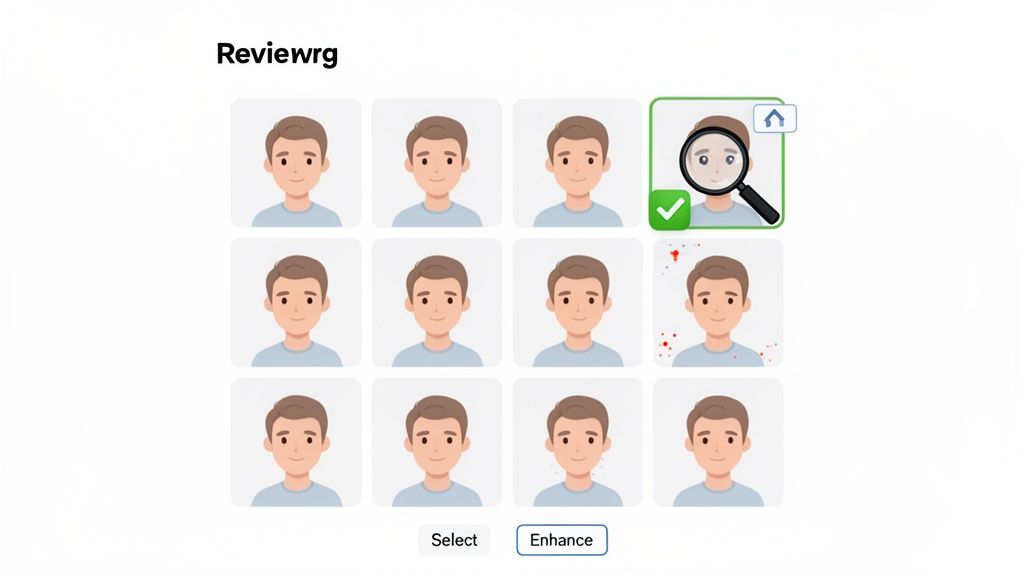
Alright, the AI has done its thing, and now you’re staring at a grid of new faces—all of them supposedly you. This is where your job really begins. You'll probably have dozens, maybe even hundreds, of options to comb through.

Don't get overwhelmed. The key here is to find the shot that isn't just good, but is an authentic, professional representation of you.

I recommend a two-pass system. On your first scroll-through, just quickly "favorite" or save anything that immediately stands out. Don't overthink it. Then, on the second pass, you'll put on your detective hat and start looking for the tiny tells that scream "AI-generated."

The Authenticity Audit: Does It Really Look Like You?

This is your most important filter. Before you check for anything else, ask yourself: "Does this actually look like me?" AI has a tendency to smooth over your unique features or tweak your facial structure just enough to make you look like a stranger. A great headshot captures your personality, not some generic, idealized version of you.

It's a tricky balance to strike. The use of AI headshot generators has exploded, particularly with founders and freelancers who need quality shots without the hassle of a photoshoot. But the tech isn't flawless. Dig into reviews of different tools, and you'll see that consistency can be a major issue, with some platforms even introducing strange biases. There have been reports where AI datasets have altered ethnic features, which just goes to show how crucial it is to vet your results. You can find more details on how AI datasets impact headshot results in this deep dive.

As you review, pay close attention to:

  • Your Core Features: Does the AI get your nose, jawline, and the spacing of your eyes right?
  • Unique Traits: Have your moles, freckles, or scars been completely erased? A little softening is often fine, but wiping them out completely can make the image feel disconnected from reality.

A Detailed Quality Checklist for a Flawless Finish

Once you have a handful of shots that pass the "looks like me" test, it's time to zoom in and inspect the finer details. AI models, especially older ones, can get tripped up on complex features. You’re looking for the common giveaways that an image was made by a machine.

My Personal Tip: The first thing I always check is the hands, if they're in the shot. AI is notorious for messing up fingers. It's a quick way to spot a lazy generation. Also, look very closely at things like earrings or necklaces—they often get distorted or appear to melt into the skin.

Here's a quick rundown of what to inspect on your final candidates:

  • The Eyes: This is where a headshot succeeds or fails. Are the eyes symmetrical, clear, and focused? Watch out for weird reflections, mismatched pupil sizes, or that glassy, lifeless look.
  • Skin Texture: Does the skin look like plastic? Overly smoothed or "airbrushed" skin is a dead giveaway. The best AI images will keep a hint of natural texture.
  • Hair Details: Check the hairline for a natural transition. Do individual strands look believable, or does it look like a poorly fitted wig? A few flyaways can actually make a photo look more authentic.
  • Background Elements: Scan the background for anything weird. Look for warped lines, objects that don't make sense, or blurry spots that don't align with a natural depth of field. A clean, professional background is non-negotiable for LinkedIn.

Getting Your New Headshot Live on LinkedIn

You’ve got the perfect AI headshot. Now comes the final, crucial step: getting it on your LinkedIn profile so it looks just as good there as it does on your screen. Don't just slap it up there—a few small tweaks can make a world of difference in how people perceive you on the platform.

Believe it or not, LinkedIn can be a bit fussy about images. If you upload a photo that's the wrong size or poorly compressed, it can end up looking blurry or pixelated. That completely defeats the purpose of creating a high-quality headshot in the first place. Let’s make sure that doesn’t happen.

Nailing LinkedIn's Technical Specs

Before you even think about clicking "upload," let's quickly cover the technical details. LinkedIn prefers a profile picture that is at least 400x400 pixels. The square format is non-negotiable, so it’s always best to crop your image into a perfect 1:1 ratio beforehand.

You'll also want to keep the file size under 8MB. Most AI headshots from platforms like 43frames will already be optimized, but it's a good thing to double-check, especially if you ran the image through an upscaler. A smaller file means it will load instantly for anyone visiting your profile.

  • Ideal Dimensions: 400x400 pixels (or a larger square).
  • Maximum File Size: 8MB.
  • Accepted File Types: JPG, GIF, or PNG.

Using LinkedIn’s Built-in Editor for the Final Polish

Once your image is uploaded, LinkedIn offers a few simple but handy tools to get the framing just right. Don't rush through this part. This is your chance to ensure your face is front and center.

The cropping tool lets you zoom in and reposition the image. A solid rule of thumb I always recommend is to have your head and shoulders take up roughly 60% of the circular frame. This ensures your face is clearly visible, even when your profile picture appears as a tiny thumbnail in a feed or search result.

You can also play with the basic filters for brightness, contrast, and saturation. If the image looks a bit flat after uploading (which can sometimes happen due to compression), a slight adjustment here can bring it back to life. For anything more complex, you might want to run it through a dedicated tool first. Our guide on using a free AI photo enhancer can show you how to add that extra professional sparkle.

Tying It All Together for a Cohesive Brand

Your headshot is more than just a picture; it's the face of your personal brand on LinkedIn. This technology is a game-changer for corporate branding, allowing entire remote teams to have consistent, professional headshots without the logistical nightmare of a group photoshoot. In a world where LinkedIn drives 50% of B2B leads and a complete profile can make you 40% more likely to be hired, a standout photo is a serious competitive advantage. You can read more about how AI is leveling the field for professionals here.

Your new AI headshot should align perfectly with the tone of your headline and the expertise detailed in your summary. A cohesive profile tells a consistent story, building trust and credibility with anyone who lands on your page.

Got Questions About AI Headshots for LinkedIn?

If you're thinking about creating an AI-generated headshot for LinkedIn, you probably have a few questions. That’s smart. After all, this is your professional image we're talking about. Let's dig into some of the most common things people worry about.

The biggest one I hear is about authenticity: "Will it actually look like me?" The honest answer is, it all comes down to the photos you feed the AI. If you give it a good variety of clear, recent pictures of yourself, the results can be incredibly lifelike. But if you upload low-quality or outdated photos, the AI might get creative trying to fill in the gaps, which can lead to a look that feels a little… off.

Data privacy is another hot topic. Where do your photos go? Any trustworthy service will have a clear privacy policy that breaks this down. Generally, the photos you upload are only used to create your unique AI model and are deleted from their servers after a certain amount of time. I always tell people to take two minutes to scan the terms of service before uploading—it’s just good practice.

Can People Tell It’s AI?

This is the million-dollar question, isn't it? A few years ago, the answer was an easy "yes." You'd see all sorts of weird artifacts—bizarre hands, glassy eyes, or skin that looked like plastic. But the technology has come a very long way since then. Today's best AI headshots can be virtually impossible to distinguish from a real studio photograph, especially at the size they appear on a LinkedIn profile.

The trick is knowing what to look for to avoid that uncanny, "AI" vibe.

  • Look at the skin: Does it have natural texture and pores, or is it airbrushed into oblivion?
  • Check the small details: Are the eyes symmetrical? Does the hairline look believable?
  • Trust your gut on the pose: Does the expression feel like something you'd actually do, or is it a generic, stock-photo smile?

A great AI headshot shouldn't scream "AI." It should whisper "professional." The goal is to look like you on your best day, not like a digital avatar.

What About the Legal and Ethical Side?

Legally, things are pretty straightforward. When you generate a headshot of yourself, you own the copyright. That means you're free to use it for your personal brand on LinkedIn, your website, or anywhere else.

The ethics are a bit more of a gray area, but it really boils down to one simple principle: honesty. Your headshot needs to be a credible representation of who you are right now.

Using AI to clean up a photo is perfectly fine. Where you might cross a line is if the image intentionally misleads people—say, by making you look 20 years younger or changing your fundamental features. Think of it as enhancement, not deception. As long as someone who meets you in person would instantly recognize you from your picture, you’re in the clear. It's really just the next evolution of tools we've used for years, like good lighting and Photoshop touch-ups.


Ready to create a headshot that opens doors? With 43frames, you can generate studio-quality, professional images in just minutes. Try it for free today!

All Posts
ai generated headshots for linkedinai headshot generatorlinkedin profile pictureprofessional headshots43frames
43frames

Product

  • Home
  • Presets
  • Blog

Use Cases

  • Photo Restoration
  • Photo Upscaling

Legal

  • Privacy Policy
  • Terms & Conditions

© 2026 43frames. All Rights Reserved.