Free AI Photo Enhancer: free ai photo enhancer for sharper images
Discover how the free ai photo enhancer sharpens, upscales, and restores images, delivering professional results at no cost.
Free AI Photo Enhancer: free ai photo enhancer for sharper images
Think of a free AI photo enhancer as a personal photo editor tucked inside your browser. It’s a tool that can instantly fix and polish your images, no complicated software or design skills needed. It’s like having a pro on standby to sharpen blurry shots, brighten up dark photos, and add a pop of clarity with a single click.
What Exactly Is a Free AI Photo Enhancer?
Ever taken a photo that’s just a bit blurry or too dark? A free AI photo enhancer is designed to fix exactly that. In just a few seconds, it can take an average-looking image and make it look like it was shot with high-end equipment.
These tools work by using sophisticated artificial intelligence to scan your photo pixel by pixel. The AI instantly spots issues—like blurriness, poor lighting, or digital "noise"—and applies corrections automatically. You don't have to mess with sliders for brightness or contrast; the AI handles everything behind the scenes. It's been trained on millions of images, so it knows what makes a picture look great.
This makes professional-level editing available to just about anyone, whether you're an e-commerce store owner trying to make products look their best or a social media manager crafting the perfect post.
The Power Behind the Boom
The demand for these tools isn't just a small trend—it's exploding. The global market for AI image enhancers is on a massive growth trajectory, projected to leap from USD 2.6 billion to USD 50.7 billion by 2034.
That incredible jump is driven by a compound annual growth rate (CAGR) of 34.6%. This isn't just a niche market; it reflects a huge, industry-wide shift toward tools that can automatically improve image quality. If you want to dive deeper, you can learn more about these AI market trends and see what they mean for businesses and creators.
At its core, a free AI photo enhancer makes high-quality photo editing accessible. It closes the gap between the photos you have and the incredible visuals you need, all without the steep learning curve or cost of traditional software.
Core Functions: What They Actually Do
So, what can you expect one of these tools to do for your photos? While features vary, most are built around a few key technologies that solve the most common image problems.
- Upscaling and Sharpening: This is for when your photo is too small or pixelated. The AI intelligently increases the resolution, making the image larger, crisper, and clearer without that typical blocky look.
- Color and Lighting Correction: Got a photo that looks washed out or too dark? The AI automatically balances the exposure, corrects dull colors, and makes your images look vibrant and true-to-life.
- Denoising: This removes that grainy texture, or "noise," that often ruins photos taken in low light. The end result is a much cleaner and smoother image.
The Technology Behind Flawless Photo Enhancement
Ever wondered what’s happening under the hood when a free AI photo enhancer instantly fixes your pictures? It’s not magic, but it’s pretty close. It’s a suite of sophisticated technologies, all trained to mimic the eye of a professional photo editor. Once you understand what they do, you'll see just how much heavy lifting the AI handles for you.
Think of it like having a team of digital specialists on call. Each one has a specific job—fixing blur, boosting color, sharpening details—and they all work together in seconds to produce a stunning final image. This is what makes high-end editing so accessible to everyone now.
AI Upscaling: The Digital Art Restorer
We’ve all been there. You have a small, slightly pixelated photo that you need to use for a big presentation or print. In the past, just stretching it out would create a blurry, blocky disaster. That’s where AI upscaling completely changes the game.
This technology is like a master art restorer, meticulously filling in the missing details of an old painting. Instead of just making pixels bigger, the AI analyzes the entire image and intelligently generates new, realistic pixels that fit the context. It essentially predicts what the photo should look like at a higher resolution, adding detail and sharpness that simply wasn't there before. The result? A bigger, crisper, and far more usable image.
Denoising and Deblurring: The Cleanup Crew
Photos snapped in low light often have that grainy texture we call digital noise. A little camera shake can also leave a great shot looking soft and slightly out of focus. This is where the AI’s cleanup crew comes in.
AI denoising algorithms are trained to spot and remove that visual "static" without smudging the important details, leaving your photo looking clean and professional. At the same time, deblurring tech works to counteract motion blur or focus issues. It sharpens the edges and brings fuzzy elements into crisp focus. It’s like wiping a foggy camera lens to reveal the clear picture underneath.
The diagram below highlights some of the key features you'll find in a good free AI photo enhancer.
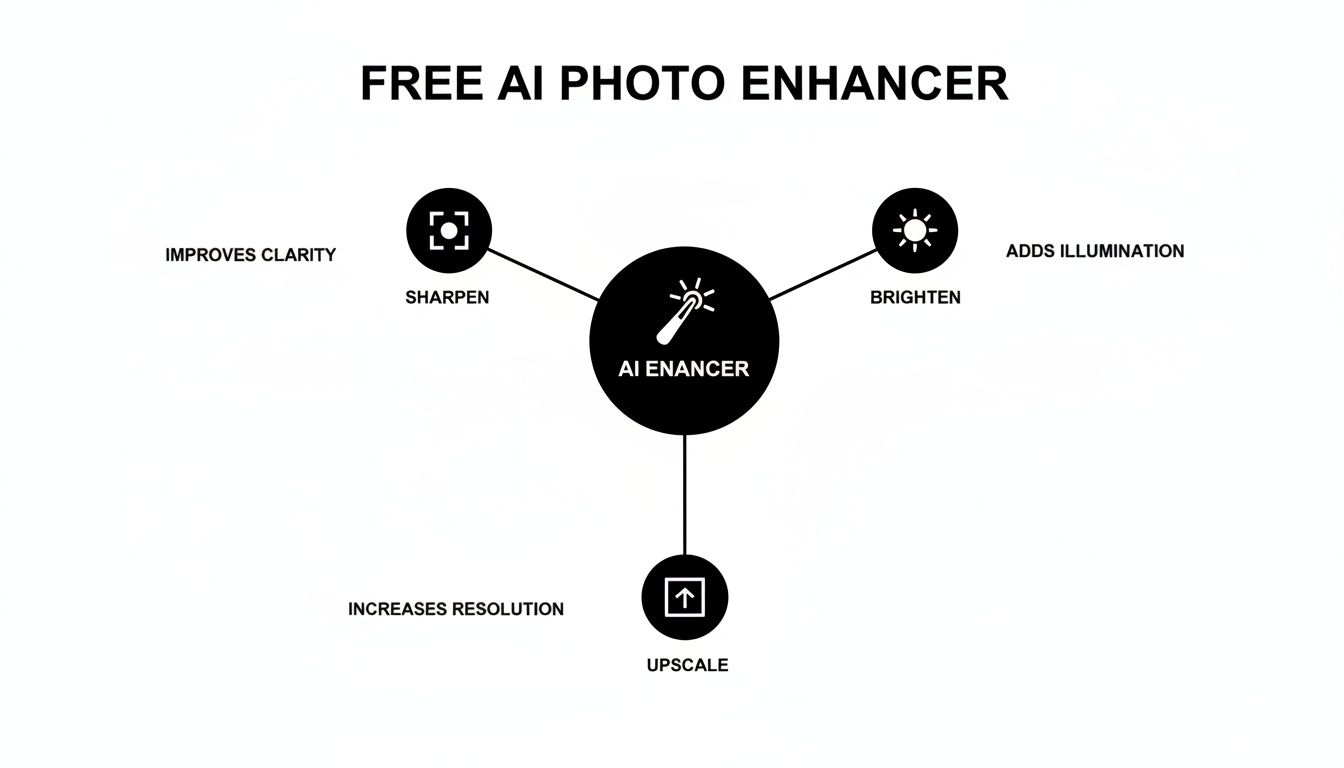
As you can see, these foundational tools work together to tackle the most common problems that plague our photos.
Color and Lighting Correction: The Expert Cinematographer
The entire mood of a photo comes down to its color and light. A scene shot in bad lighting can look dull and flat, while weird color casts can make everything feel unnatural.
AI color correction is like having an expert cinematographer on a film set. It scans the whole image in an instant, balancing the shadows, highlights, and mid-tones to create a perfectly lit, vibrant scene.
This process automatically fixes exposure problems, boosts color saturation, and adjusts the white balance to make your photos pop with life. It’s an incredible shortcut to professional-level color grading. If you want to dive deeper into how AI transforms visuals, check out our guide on image-to-image AI technologies.
AI Restoration: The Digital Time Machine
Old family photos are priceless, but they often come with cracks, tears, fading, and yellowing from age. AI restoration is a digital time machine, carefully repairing this damage to bring cherished memories roaring back to life.
The AI analyzes the damaged spots and intelligently reconstructs what’s missing, smooths out creases, and restores faded colors to their original vibrancy. It’s an incredibly powerful way to preserve a piece of history and share those timeless moments with a whole new level of clarity.
Where AI-Enhanced Images Make a Real Difference
It's one thing to talk about the tech, but the real magic of a free AI photo enhancer is how it solves real, everyday problems. This isn't just about making pixels prettier; it's about getting tangible results—boosting your brand, making more sales, or bringing old memories back to life, often with just a few clicks.
Think of these tools as specialists you can call on for specific jobs. Whether you're running an Etsy shop, managing a brand's Instagram, or trying to fix that one blurry photo of your grandpa, AI enhancement offers a direct, powerful solution. It takes the tedious, time-consuming parts of photo editing and automates them, putting professional-grade results within anyone's reach.
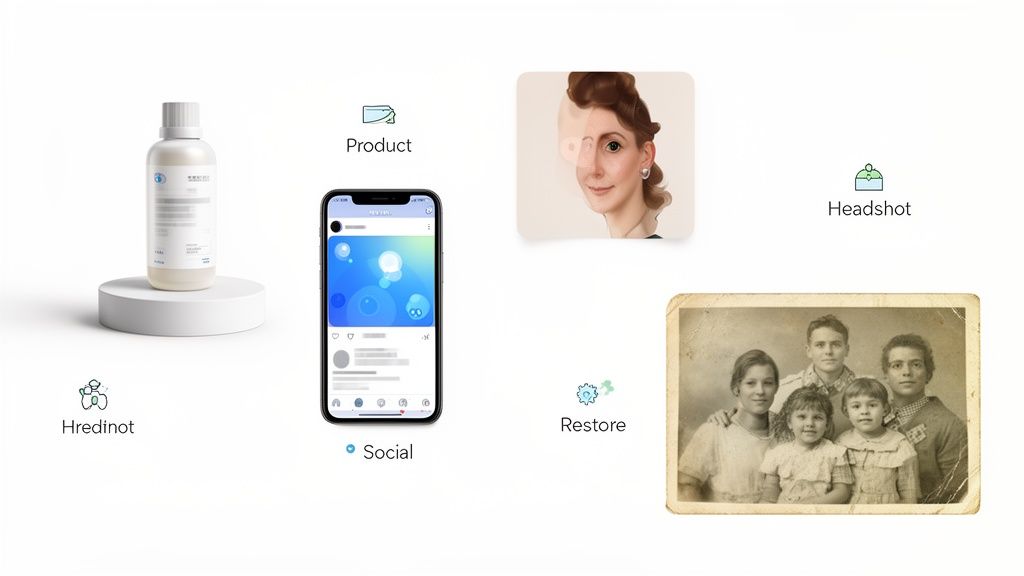
Driving Sales in E-Commerce
If you sell products online, whether on Shopify, Amazon, or your own site, you know that your photos are your storefront. But often, you're stuck with supplier images that are too small, a bit blurry, or just poorly lit. Those less-than-perfect shots can kill customer trust and, ultimately, sales.
This is where AI upscaling is a complete game-changer. It can take a grainy, low-resolution product image and turn it into something crisp, detailed, and professional. When customers can clearly see the texture of a fabric or the details of a craft, they feel more confident hitting that "buy now" button. The numbers back this up, too. The AI product photography market is expected to explode from USD 450 million to a staggering USD 5 billion by 2035. Companies jumping on this are already seeing results, with some reporting sales boosts of up to 25% and conversion rates tripling. You can discover more insights on AI photography trends to see just how big this shift is.
Polishing Your Social Media Presence
Social media managers are constantly working with a mixed bag of visuals. One minute it's a high-res campaign photo, the next it's a dimly lit shot from a live event or a piece of user-generated content (UGC). Keeping a consistent, high-quality look across a feed is tough when your source files are all over the place.
An AI enhancer basically becomes your super-fast editing assistant. It can fix the weird lighting on an event photo or clean up the noise in a fan's picture in seconds, making it look polished and on-brand.
This means your feed stays cohesive and professional without you having to spend hours tweaking sliders in Photoshop. It's all about getting every single image, no matter where it came from, to meet your brand's visual standard—effortlessly.
Elevating Professional and Personal Images
The impact goes well beyond just business and marketing. Here are a couple of other ways these tools are incredibly useful:
- Professional Headshots: You can turn a decent smartphone photo into a sharp, well-lit portrait that's perfect for your LinkedIn profile. It's an instant way to upgrade your professional image.
- Personal Memories: AI restoration can bring old, faded, or even damaged family photos back to life. It can fix cracks, get rid of that yellowed tint, and restore faded colors, making those precious moments ready to be shared with a new generation. If that sounds interesting, you can learn more about the process of digital photo restoration.
Let's be real: a free AI photo enhancer can feel like a complete game-changer, almost like having a magic wand for your visuals. But like any powerful tool, it's smart to know exactly what it does well and where it can fall short. Getting a clear picture of both sides helps you use these tools effectively and avoid some common headaches.
The biggest win? Massive savings in both time and money. Think about the cost and hours that go into professional photo editing or, worse, a full-on reshoot. AI enhancers automate all of that, turning around polished images in just a few seconds. For small businesses, solo entrepreneurs, or anyone on a tight deadline, that's huge.
Another huge plus is how easy they are to use. You don't need to be a Photoshop wizard anymore to get high-quality results. These tools are built for everyone, letting you clean up your photos with a simple click or two. This makes it so much easier to keep your brand's look sharp and consistent everywhere you post.
The Trade-Offs and What to Watch Out For
As incredible as they are, these tools aren't foolproof. The first thing you might run into are AI artifacts. This happens when the AI has to work really hard, especially when blowing up a tiny, low-resolution image. The algorithm essentially has to guess what details should be there, and sometimes it gets it a little off, resulting in textures that look a bit waxy, overly smooth, or just plain unnatural.
The quality of your output is directly tied to the quality of your input. An AI can work wonders on a slightly blurry photo, but it can't create sharp details from an image that is extremely pixelated or out of focus.
This leads to another crucial point: the fine print. When a tool is free, you have to pay close attention to the legal and privacy side of things.
- Commercial Use: Be careful here. A lot of free tools don't actually let you use the enhanced images for business purposes. If you're selling products or promoting your brand, you absolutely need to pick a tool that grants a commercial license, even on its free plan.
- Data Privacy: Ever wonder what happens to your photo after you upload it? You should. Always take a minute to check the privacy policy. A trustworthy service will be upfront about how they store and handle your images.
Here’s a quick breakdown of the pros and cons to keep in mind.
Pros vs. Cons of Free AI Photo Enhancers
This table offers a balanced look at the key advantages and potential drawbacks, helping you make a more informed decision when choosing a free AI photo enhancement tool.
Scroll horizontally to see all columns.
| Benefit (Pros) | Limitation (Cons) |
|---|---|
| Cost-Effective: Zero financial investment to start improving images. | Usage Restrictions: Free plans often limit or prohibit commercial use. |
| Time-Saving: Automates complex editing tasks in mere seconds. | Watermarks: Many tools add a watermark to images on free tiers. |
| User-Friendly: No technical skills required; simple, intuitive interfaces. | Upscaling Artifacts: Risk of unnatural textures on heavily enhanced photos. |
| Accessibility: Available to anyone with an internet connection, 24/7. | Privacy Concerns: Your uploaded images may be used for model training. |
| Consistent Quality: Helps maintain a uniform, professional look across all visuals. | Limited Features: Advanced controls and formats are often behind a paywall. |
Ultimately, knowing these trade-offs isn't meant to scare you off—it's to empower you. By understanding the good and the not-so-good, you can pick the right free AI photo enhancer for your specific needs. Just remember, a quick read of the terms of service is a must for anyone using these tools professionally.
How to Choose the Right AI Photo Enhancer
With so many AI tools hitting the market, picking the best free AI photo enhancer can feel overwhelming. It’s easy to get lost in all the promises and slick marketing. The real trick is to ignore the noise and focus on what actually matters for your work.
Think of it like choosing any other critical business tool. You wouldn’t pick software just because it has a cool-looking dashboard; you’d dig into the features, check the terms, and make sure it solves a real problem for you. An AI enhancer needs to do the same, whether you're trying to perfect product shots or just clean up a few headshots.
Your Core Evaluation Checklist
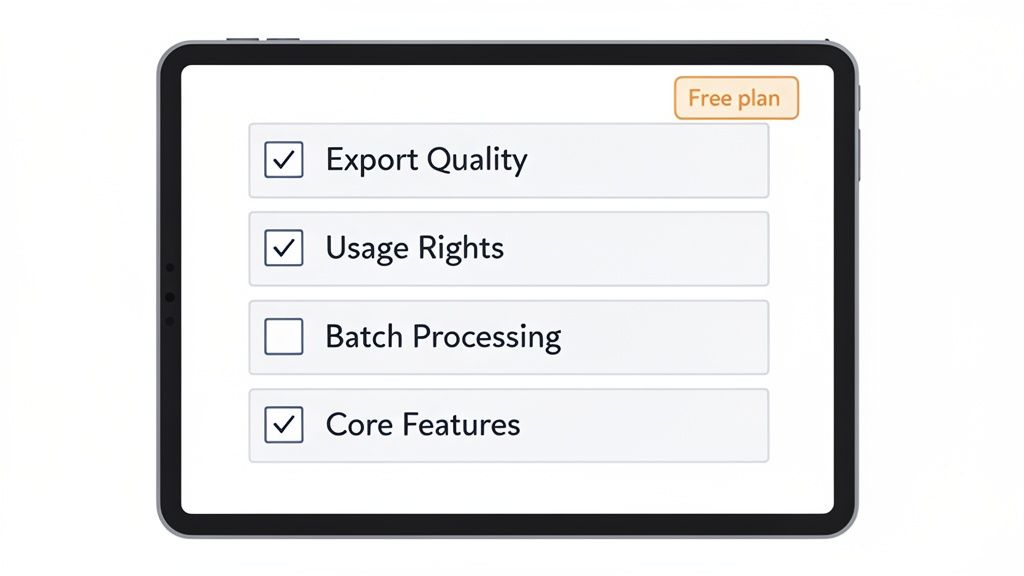
To find a tool that’s genuinely helpful and not just a gimmick, you need to ask the right questions. I always recommend focusing on these four areas to separate the truly useful tools from the frustrating dead ends.
- Export Quality and Resolution: This is the big one. Can you actually download your finished image at its new, higher resolution without a distracting watermark? If a tool only lets you export a low-res preview, it’s practically useless for any professional work.
- Commercial Usage Rights: This is a huge trap a lot of people fall into. Many "free" tools have fine print that forbids you from using the enhanced images for business. You must confirm the license allows for commercial use if you're creating images for e-commerce, marketing, or even a monetized social media account.
- Workflow Efficiency: How fast can you get the job done? A clunky interface will slow you down. If you regularly work with dozens of photos, a feature like batch processing is a lifesaver. Your time is valuable, and a good tool respects that.
- Core Feature Set: Does it actually do what you need? Some tools are one-trick ponies focused solely on upscaling. Others offer a more complete package with color correction, noise reduction, and photo restoration. A more versatile toolkit will always deliver more value.
Why Cloud-Based Tools Have an Edge
There’s a reason cloud-based AI tools are taking over, now accounting for 75% of deployments in the image enhancement space. They give creators and small businesses direct access to incredibly powerful processing without needing expensive hardware or complicated software.
The impact is clear: with AI-assisted editing adoption hitting 68%, users are reporting a 45% jump in workflow efficiency. For anyone in retail or e-commerce—two of the biggest users of these tools—finding a platform that offers high-res downloads and clear commercial rights is non-negotiable. You can explore more on the impact of AI enhancers in the market.
Check both the cost and the usage conditions. 43frames provides one-time starter credits; restoration and upscaling each cost 2 credits per image. Its Terms govern commercial use.
Making the Right Choice for Your Needs
At the end of the day, the right free AI photo enhancer is one that slots perfectly into your workflow and helps you create better visuals without throwing up roadblocks. Run every option through the checklist above, and you’ll be able to make a confident decision.
For a tool such as 43frames, try one photo and inspect the downloaded file before processing a larger collection. Review the current credit cost and usage conditions rather than assuming that a starter allowance makes ongoing enhancement free.
Try an enhancement with starter credits
In 43frames, choose photo restoration for damaged or faded photos, or upscaling when you need a larger image. Each operation costs 2 credits per image. New accounts receive 10 starter credits once, so you can evaluate a small set before buying more credits.
- Choose the tool and add a photo. Use the best source file you have and keep an unchanged copy.
- Review the cost and start processing. Check the selected options and credit total before submitting. Processing time varies.
- Inspect and download the result. Compare faces, lettering and fine detail with the original. AI may change or invent details; decide whether the output meets your intended use.
Commercial use is subject to applicable law and upstream provider terms. Read the Terms; starter credits do not remove those conditions. There is no promise that every image will be suitable for publication or print.
Frequently Asked Questions
Jumping into the world of AI photo enhancement can bring up a few questions. Let's clear up some of the most common ones so you can start improving your images with confidence.
Can I Legally Use These Enhanced Images for My Business?
Yes, but you absolutely have to read the fine print. This is probably the single most important detail to check before you start.
Usage terms vary between services. 43frames allows commercial use subject to applicable law and upstream provider terms, without promising exclusivity or non-infringement. You remain responsible for your inputs and use. Review the Terms before using a result commercially.
Will an AI Enhancer Make a Very Blurry Photo Perfect?
AI is impressive, but it’s not magic. It works with the information it has, and it can't invent details that simply aren't there. If a photo is just a bit soft or low-resolution, an AI enhancer can work wonders, sharpening lines and bringing out textures you didn't even know were there.
But if you give it a photo that’s a complete blur, the AI has to guess. It will try to reconstruct the image, but the result might look a bit strange or have that tell-tale "AI-generated" feel.
Pro Tip: For the best results, always start with the highest-quality version of your photo. The better the raw material, the more stunning the final product.
How Is This Different from Using Photoshop?
The big difference is automation versus manual control. Think of Photoshop as a professional chef's kitchen—it has every tool you could ever imagine, but you need the skill and time to know how to use them. Getting a great result means manually adjusting dozens of settings for sharpness, color, and noise.
A free AI photo enhancer is more like a high-tech smart oven. You just put your image in, and the AI handles all the complex steps for you in seconds. It puts professional-grade results within reach for everyone, no matter your editing experience.
Ready to see what it can do for your photos? 43frames offers a generous free tier that includes full-resolution downloads and commercial usage rights. Start enhancing your photos for free today at 43frames.com.