Top 8 Pieces of Professional Headshot Advice for 2026
Unlock your best look with our top 8 pieces of professional headshot advice. Learn tips for lighting, posing, and AI tools for a perfect LinkedIn profile.
On this page
In a world of instant online connections, your headshot is often the first impression you make on recruiters, clients, and colleagues. It is more than a simple photograph; it’s a powerful branding tool that communicates your professionalism, confidence, and personality before you ever say a word. A great headshot can open doors, while an outdated or unprofessional one can close them just as quickly.
Achieving that studio-quality look can feel daunting, with conflicting advice on everything from lighting and clothing to posing and editing. This guide is designed to cut through the noise and provide clear, actionable guidance. We've compiled 8 essential pieces of professional headshot advice, covering the critical technical and creative steps to capture an image that truly represents you at your best.
You will learn how to master key elements, from selecting the perfect background and outfit to perfecting your expression and posture. We'll also explore camera settings, platform-specific requirements, and even how modern AI tools can help you generate or refine your perfect shot. By the end, you will have a complete roadmap to create a headshot that elevates your personal brand and makes a lasting, positive impact across every professional platform.
1. Choose the Right Background and Lighting Setup
The foundation of any compelling headshot lies in its background and lighting. These two elements work together to direct focus, create a professional mood, and flatter your features. A poorly chosen background can distract viewers, while improper lighting can create harsh shadows, wash out your skin tone, or flatten your appearance. Mastering this combination is some of the most critical professional headshot advice you can receive, as it accounts for nearly half of the photo's overall impact.
Background Choices That Build Your Brand
Your background should be an intentional choice that reinforces your personal or corporate brand. Avoid busy or cluttered environments that pull attention away from you.
- Classic Professional: Solid, neutral backgrounds like light gray, off-white, or muted blue are standard for corporate and LinkedIn profiles. They are clean, non-distracting, and universally professional.
- Branded & Modern: A subtly colored background that aligns with your company's branding can create a cohesive and memorable look. For example, a tech professional might use a deep navy, while a creative might opt for a warmer, more approachable tone.
- Environmental Context: A softly blurred office or outdoor setting can add personality and context, but ensure the blur is significant enough that you remain the clear subject.
Key Insight: Always test your headshot background by viewing it at a small thumbnail size, similar to how it will appear on LinkedIn or a company directory. A background that looks good full-screen might become visually chaotic when scaled down.
Lighting for Dimension and Clarity
Good lighting sculpts your face, adds depth, and creates a clear, engaging image. The goal is soft, directional light.
If you are shooting your own photos, position a single light source (like a window or a softbox) at a 45-degree angle to your face and slightly above eye level. This technique, known as Rembrandt lighting, creates a small, flattering triangle of light on the cheek opposite the light source, defining your features without harshness. For those looking for more guidance, you can learn more about how to take professional headshots at home.
Alternatively, AI headshot generators like 43frames can produce perfectly lit images with studio-quality backgrounds instantly, removing the technical guesswork from the process. These tools analyze your input photos and reconstruct them with ideal lighting and background combinations tailored to your needs.
2. Dress Professionally and Choose Flattering Colors
Your wardrobe is more than just clothing in a headshot; it's a direct signal of your professionalism, industry, and personal brand. The right outfit communicates competence and approachability before a single word is read, while the wrong one can be distracting or send a conflicting message. Choosing what to wear is some of the most practical professional headshot advice because it directly influences how you are perceived by colleagues, recruiters, and clients.
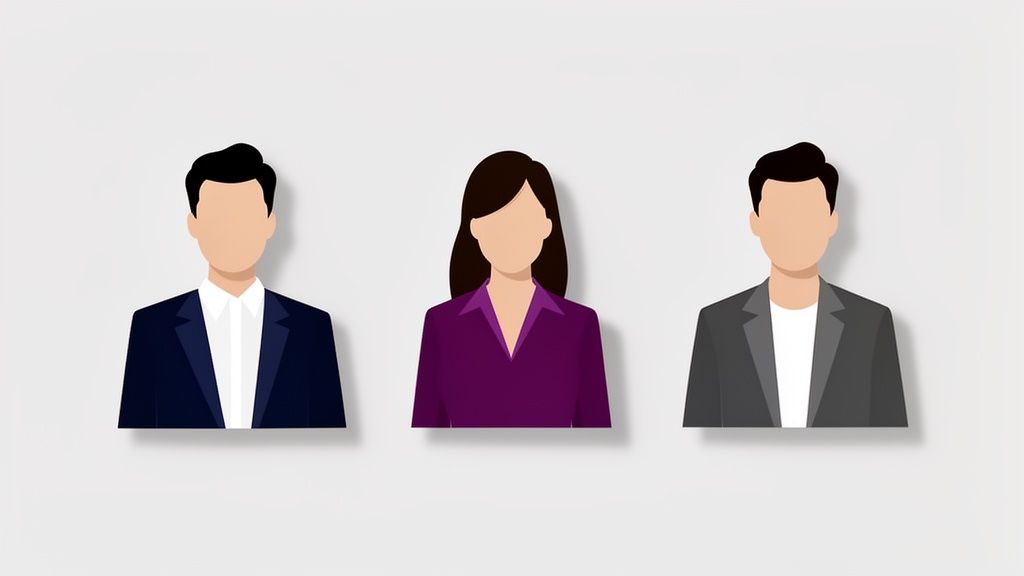
Wardrobe Choices for Professional Impact
Your clothing should align with your industry's standards while reflecting your personal style. Aim for a look that is polished, timeless, and free of distracting elements.
- Corporate & Finance: Structured blazers, crisp button-down shirts, and blouses in solid, classic colors like navy, charcoal, or burgundy convey authority and trustworthiness.
- Tech & Startups: Business casual is often the standard. A well-fitting blazer over a solid-colored T-shirt or a simple, quality sweater can strike the perfect balance between professional and modern.
- Creative Professionals: This is where you can show more personality. Jewel tones, unique textures, and subtle patterns can work well, but the focus should still remain on your face.
Key Insight: Always prioritize fit. A perfectly tailored, simple garment will look far more professional than an expensive but ill-fitting one. Ensure your clothing is clean, pressed, and fits well across the shoulders and chest.
Using Color to Your Advantage
Color psychology plays a significant role in how your headshot is received. The right colors can make you look vibrant and engaging, while the wrong ones can wash you out.
Generally, solid jewel tones like sapphire blue, emerald green, and deep red are universally flattering on camera and convey confidence. It is best to avoid busy patterns, large logos, and pure white or black, as they can cause exposure issues for the camera. For those who prefer a streamlined approach, AI-powered tools like 43frames can generate headshots where you are wearing a variety of professional outfits, allowing you to see which colors and styles work best without a physical wardrobe change.
3. Perfect Your Facial Expression and Eyes
Your facial expression, particularly your eyes, is the emotional core of your headshot. It's what transforms a simple picture into a powerful communication tool, conveying confidence, approachability, and competence in a single glance. A genuine, engaging expression connects with the viewer on a personal level, while stiff or forced looks can create an immediate disconnect. Mastering this element is crucial professional headshot advice because micro-expressions are subconsciously interpreted, heavily influencing a viewer's first impression of you.
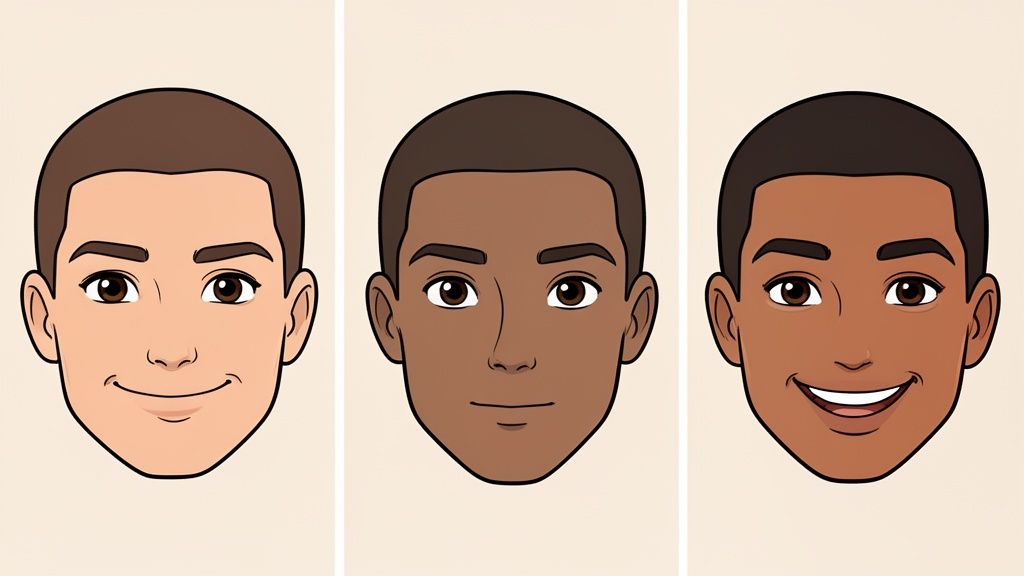
Crafting an Expression That Aligns With Your Goals
The ideal expression depends entirely on the context and your professional brand. What works for a creative director will differ from what’s best for a trial attorney.
- Corporate & Leadership: A warm yet composed expression with a slight, confident smile suggests authority and trustworthiness. The goal is to appear approachable but also decisive and in control.
- Creative & Tech: A more relaxed, genuine smile can communicate collaboration, innovation, and an open-minded personality. This is effective for roles where teamwork and creativity are paramount.
- Dating Profiles: Authenticity is key. A genuine, warm smile that reaches the eyes suggests friendliness and makes you seem more inviting and trustworthy to potential matches.
Key Insight: To achieve a natural smile, think of a genuinely happy memory, a funny joke, or someone you love just before the photo is taken. This technique, often called the "Duchenne smile," engages the muscles around your eyes and reads as far more authentic than a forced "cheese."
Techniques for Engaging Eyes and a Relaxed Face
The eyes must be the sharpest point of focus in the image, drawing the viewer in. A relaxed face prevents tension from undermining your expression.
Before the shoot, consciously relax your facial muscles. Yawn, open your mouth wide, and gently massage your jaw to release any tension. During the session, try looking just above the camera lens and then shifting your gaze directly into it right as the shutter clicks. This creates a more dynamic and engaged look. For those struggling to find their best expression, AI tools like 43frames can generate dozens of headshots with varied, natural-looking smiles and confident eye contact, helping you discover the look that best represents your professional persona.
4. Get the Head Tilt, Angle, and Posture Correct
Your body language speaks volumes before you ever say a word, and in a headshot, your posture and head angle do all the talking. These elements can instantly convey confidence, approachability, and authority, or they can inadvertently suggest insecurity. Mastering your positioning is some of the most impactful professional headshot advice because it transforms a simple photo into a powerful non-verbal statement about your professional persona.
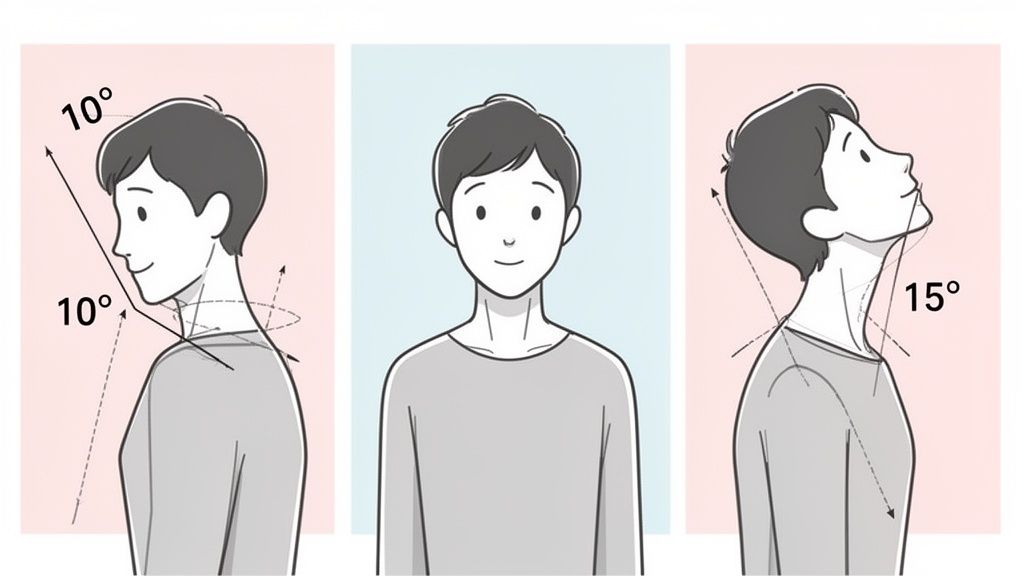
Posture and Angles That Communicate Confidence
The goal is to create dynamic, flattering lines that draw the viewer in. A stiff, straight-on pose can appear confrontational or flat, like a passport photo.
- Corporate & LinkedIn: The standard approach is to angle your shoulders about 45 degrees away from the camera and then turn your head back toward the lens. This creates dimension and a more engaging look.
- Executive Leadership: For a look that conveys authority, an upright posture with shoulders back is key. A more direct, level head position can communicate decisiveness and strength.
- Approachable & Creative: A slight head tilt (around 10-15 degrees) toward your shoulder can soften your expression, making you appear more open and friendly. This is great for creative roles or service-oriented professions.
Key Insight: To define your jawline and avoid a double chin, subtly extend your neck forward, as if you're pushing your forehead toward the camera. It feels unnatural but looks fantastic on camera, creating a clean, strong profile.
Fine-Tuning Your Pose for the Best Results
Practice these small adjustments in a mirror before your session to see what feels most natural and looks best for your facial structure. Keep your shoulders relaxed and down, away from your ears, to project a calm and controlled presence.
If you find posing difficult, AI headshot generators can be a valuable tool. Platforms like 43frames use advanced algorithms to generate headshots with optimal posture and flattering angles, removing the guesswork. The technology can analyze your casual photos and reconstruct them into perfectly posed professional images that align with industry standards, ensuring you look both confident and authentic.
5. Focus on Camera Quality and Resolution Standards
The technical quality of your headshot is non-negotiable for projecting professionalism. High resolution and sharp camera focus ensure your image remains crisp and clear, whether it’s a tiny profile icon or a full-page print. This technical foundation preserves crucial details in your facial expression and texture, preventing a pixelated or blurry appearance that can instantly undermine your credibility. This piece of professional headshot advice is vital because a low-quality image signals a lack of attention to detail.
Understanding Resolution for Different Platforms
Your headshot will be used in various contexts, each with its own resolution requirements. A single, high-resolution source file is essential for adapting to these different needs without losing quality.
- Corporate & Print: For professional printing, such as on a business card or in a brochure, a resolution of at least 300 DPI (dots per inch) is standard. This typically requires a high-megapixel camera (24MP+) to achieve.
- LinkedIn & Web Profiles: While displayed smaller, platforms like LinkedIn recommend high-quality uploads (e.g., 1200x1500 pixels) to ensure clarity on high-resolution screens. A source file should be significantly larger to allow for flexible cropping.
- Website & Digital Use: A typical website headshot might be displayed at 600x800 pixels, but uploading a larger file allows the site to serve a correctly sized version for different devices, from mobile to desktop.
Key Insight: Always request the full-resolution, uncompressed files (like TIFF or high-quality JPEG) from your photographer. This gives you maximum flexibility for future uses without sacrificing image quality through repeated compression.
Technical Settings for a Flawless Shot
Achieving technical excellence involves more than just a good camera; it requires the right settings. If you’re working with a photographer or shooting your own, pay attention to these details.
For photographers, shooting in RAW format provides the greatest latitude for post-production adjustments. A focal length in the 50-85mm range is ideal for portraits, as it captures facial features without the distortion caused by wide-angle lenses. If you have an existing photo that isn't quite sharp enough, you can use a free AI photo enhancer to improve clarity and resolution before uploading it.
Alternatively, AI headshot services like 43frames generate images that are pre-optimized with professional-grade resolution and perfect clarity. These tools are built on models trained with high-end photography, ensuring every output meets the technical standards required for a polished, professional presence online and in print.
6. Ensure Proper Skin Preparation and Grooming
Your skin's appearance plays a significant role in the overall polish and professionalism of your headshot. Proper grooming, a thoughtful skincare routine, and well-applied makeup (if you choose to wear it) create a healthy, well-maintained look that conveys confidence and attention to detail. This element of professional headshot advice is about looking like the best version of yourself, not an overly processed or artificial one, which requires strategic preparation well before you step in front of the camera.
Grooming Choices to Reflect Your Industry
Your grooming should align with the expectations of your professional field while remaining authentic to your personal brand. Avoid any last-minute, drastic changes right before your photoshoot.
- Corporate & Finance: Professionals in these fields should aim for a conservative and pristine look. This typically means a clean shave or a neatly trimmed beard for men, and natural-looking makeup that enhances features for women.
- Creative & Tech: These industries allow for more personal expression. While a polished appearance is still key, a well-styled haircut, a maintained beard, or more expressive makeup can be appropriate and help communicate your personality.
- Healthcare & Academia: A clean, natural, and trustworthy appearance is paramount. Grooming should be minimal and neat, ensuring the focus remains on your professional and approachable demeanor.
Key Insight: Schedule haircuts or significant grooming changes, like a beard trim or eyebrow shaping, about one week before your shoot. This gives your hair time to settle into a more natural look and allows any potential skin irritation to subside.
Skincare and Makeup for a Flawless Finish
Healthy, hydrated skin is the best foundation for a great headshot, as it looks vibrant even under studio lighting. Preparation should begin weeks, not hours, before your session.
Start a consistent skincare routine at least two to four weeks before your shoot to see visible improvements in skin texture and tone. For the two to three days leading up to the session, focus on hydration by drinking plenty of water and moisturizing thoroughly. On the day of the shoot, use a primer to create a smooth base and apply makeup minimally, focusing on evening out skin tone and defining your eyes. Having touch-up supplies like powder or blotting papers on hand is crucial, especially if you're shooting multiple looks.
7. Understand Platform-Specific Requirements and Dimensions
Your headshot isn't a one-size-fits-all asset; it will be displayed across various digital and print platforms, each with unique technical demands. A perfectly framed image on LinkedIn can appear awkwardly cropped on a business card or distorted on a website. Understanding the specific dimensions, aspect ratios, and file types for each use case is crucial professional headshot advice that ensures your image always looks sharp, intentional, and correctly presented.
Tailoring Your Headshot for Different Platforms
Each platform has its own display rules that affect how your photo is seen. Preparing for these variations in advance prevents common issues like pixelation, unintended cropping, or slow load times that can undermine your professional image.
- LinkedIn Profile: While you upload a larger square image, it's often displayed in a circle. Ensure your face is centered with enough "safe space" around it to avoid having your hairline or chin cut off.
- Website & Email Signatures: Website team pages may require a specific aspect ratio (e.g., 4:5 vertical), while email signatures need a very small, low-filesize image (around 100x100 pixels) to load quickly.
- Print Materials: Business cards and flyers require high-resolution files (300 DPI) and are often printed in a CMYK color profile to ensure accurate colors. Using a standard web image (72 DPI, RGB) will result in a blurry, discolored print.
Key Insight: Start with the highest resolution version of your headshot possible. It is easy to scale an image down for different uses without losing quality, but it's impossible to scale a small, low-resolution image up without it becoming pixelated and unprofessional.
Technical Best Practices for Exporting
Properly exporting your image files is just as important as the initial photo shoot. Pay attention to the technical details to maintain quality and optimize performance across every channel.
A great strategy is to create a master file with ample space around your head and shoulders, allowing you to crop it differently for various needs. For instance, you can create a tight, circular crop for social media and a wider, rectangular version for your website's "About Us" page from the same original photo. You can learn more about how to optimize your image specifically for professional networks like LinkedIn.
When you use an AI headshot service like 43frames, you often receive multiple high-resolution options with different crops and backgrounds. This makes it simple to select and resize the perfect image for any platform, from a square dating profile picture to a vertical corporate directory photo, ensuring consistency and quality everywhere you're seen.
8. Plan Updates and Seasonal Refresh Schedule
A professional headshot is a living document, not a one-time task. Your appearance, personal brand, and even industry style trends evolve over time. Establishing a regular refresh schedule ensures your headshot remains current, credible, and an accurate representation of who you are today. This proactive approach is some of the most overlooked yet vital professional headshot advice, as an outdated photo can undermine your perceived relevance and authenticity.
Creating a Headshot Refresh Cadence
Your professional context dictates the ideal frequency for updates. A static, decade-old photo signals stagnation, so plan your updates to align with your career trajectory and personal changes.
- Corporate Standard: For most professionals, updating every 2-3 years is a solid baseline. This keeps the image recent enough to be recognizable and aligned with corporate standards.
- Dynamic Roles: Professionals in fast-paced or public-facing roles (sales, consulting, content creation) should consider an annual refresh. This ensures their visual brand keeps pace with their career's momentum.
- Significant Changes: Always update your headshot immediately following a significant change in appearance, such as a major haircut, a new pair of glasses, or a substantial change in weight.
- Dating Profiles: For dating apps, a quarterly refresh is beneficial. It showcases current interests, seasonal activities, and an engaged, active lifestyle, which is more appealing to potential matches.
Key Insight: Don't wait until you need a new headshot for a conference or job application. Set a recurring calendar reminder for an annual "headshot assessment" to compare your current photo to your present appearance and decide if an update is due.
Leveraging Seasonal and Minor Updates
A full professional reshoot isn't always necessary for every update. You can keep your visual brand fresh with smaller, strategic adjustments that don't require a significant investment.
If you have a primary headshot you love, consider creating minor variations for different seasons or platforms. This could involve swapping the solid background for a warmer or cooler tone, or simply changing your outfit from a blazer to a sweater. For those using AI tools, generating seasonal variations is simple. Platforms like 43frames can take your best photos and create new headshots with different backdrops, outfits, and lighting styles, allowing you to maintain a consistent yet dynamic presence across all your professional profiles.
8-Point Professional Headshot Comparison
Scroll horizontally to see all columns.
| Item | 🔄 Implementation Complexity | ⚡ Resource Requirements | ⭐ Expected Outcome | 💡 Ideal Use Cases | 📊 Key Advantages |
|---|---|---|---|---|---|
| Choose the Right Background and Lighting Setup | 🔄🔄🔄 Moderate–high: technical setup & testing | ⚡⚡⚡ Lighting, backdrops, space; moderate–high cost (AI can reduce needs) | ⭐⭐⭐ Professional, polished look; reduces heavy retouching | Corporate headshots, LinkedIn, print, branding | Creates depth, minimizes distractions, consistent color/lighting |
| Dress Professionally and Choose Flattering Colors | 🔄🔄 Low–moderate: wardrobe selection & fit | ⚡⚡ Clothing, tailoring; low ongoing cost (AI can preview outfits) | ⭐⭐⭐ Conveys credibility and trust; enhances facial features | Interviews, client-facing roles, profile photos | Improves perceived professionalism; complements complexion and brand |
| Perfect Your Facial Expression and Eyes | 🔄🔄 Moderate: practice and multiple takes | ⚡ Low Time, coaching; minimal gear (AI can generate expression variants) | ⭐⭐⭐ Builds trust and emotional connection | Networking profiles, sales, customer-facing roles | Genuine expressions increase engagement and perceived approachability |
| Get the Head Tilt, Angle, and Posture Correct | 🔄🔄 Moderate: experimentation per face shape | ⚡ Low Photographer guidance and practice (AI can produce angle variants) | ⭐⭐–⭐⭐⭐ Flattering proportions; reduces unflattering angles | Executive portraits, team pages, professional bios | Adds dimension and conveys confidence through posture and angle |
| Focus on Camera Quality and Resolution Standards | 🔄🔄🔄 High: technical settings, file management | ⚡⚡⚡ High: camera, storage, editing hardware/software (AI can supply high-res outputs) | ⭐⭐⭐ Very high clarity across sizes; preserves detail for print | Print materials, high-detail corporate use, archival images | Enables flexible cropping, print-ready files, and long-term usability |
| Ensure Proper Skin Preparation and Grooming | 🔄🔄 Low–moderate: routine + possible pro services | ⚡⚡ Skincare, grooming, makeup artist; time investment (AI can retouch minor issues) | ⭐⭐⭐ Polished, healthy appearance; reduces need for heavy editing | All professional headshots, client-facing professions | Improves complexion, boosts confidence, creates consistent presentation |
| Understand Platform-Specific Requirements and Dimensions | 🔄🔄 Moderate: knowledge of formats and exports | ⚡⚡ Low–moderate: export tools, templates (AI can auto-generate platform versions) | ⭐⭐–⭐⭐ Optimized display and faster load times | Social media, websites, email signatures, print collateral | Prevents cropping/format issues; ensures correct color space and file size |
| Plan Updates and Seasonal Refresh Schedule | 🔄🔄 Low–moderate: scheduling and review process | ⚡⚡ Variable: new sessions or AI-generated refreshes; budget-dependent | ⭐⭐–⭐⭐ Keeps image current; sustains credibility over time | Professionals with changing appearance, influencers, salespeople | Maintains relevance, supports A/B testing, avoids dated appearance |
Your Next Steps to a Perfect Professional Headshot
Navigating the world of professional headshots can feel complex, but as we've explored, creating a powerful and authentic image is a process you can absolutely master. It's not about achieving a flawless, airbrushed ideal; it's about strategically crafting a visual first impression that is both professional and genuinely representative of you. The journey from a simple photograph to a strategic career tool is built on the deliberate choices you make, from the technical to the personal.
We have moved beyond generic tips and delved into the specific, actionable professional headshot advice that makes a tangible difference. You now understand that the background is not just a backdrop, but a narrative device, and that your wardrobe choices communicate your personal brand before you ever say a word. Mastering your expression, particularly conveying confidence and approachability through your eyes, transforms a static image into a dynamic introduction. It’s the small, precise adjustments-a slight head tilt, an engaged posture, a well-chosen camera angle-that accumulate to create a polished and impactful final product.
From Knowledge to Action: Your Headshot Checklist
The true value of this guide lies in its application. Your headshot is a living document for your career, not a one-time task to be checked off a list. To put this knowledge into practice, consider these immediate next steps:
- Audit Your Current Headshot: Using the eight principles we've covered, critically evaluate your existing photo. Does it align with your current professional goals? Is the lighting flattering? Does it meet the technical requirements for platforms like LinkedIn?
- Create a Mood Board: Before your next shoot, whether with a professional or DIY, gather examples of headshots you admire. Analyze what works in them, paying close attention to lighting, expression, and overall mood. This will provide a clear creative direction.
- Plan Your Refresh Cycle: The most critical piece of often-overlooked advice is to keep your headshot current. Mark your calendar for an annual or biennial review. A headshot that is more than two years old can create a disconnect when you meet someone in person, subtly undermining trust.
Remember, your professional headshot is your digital handshake. It works for you 24/7, opening doors, building connections, and reinforcing your personal brand across every digital platform. Investing the time and effort to get it right is not an act of vanity; it is a fundamental component of modern professional communication. Whether you choose to hire a photographer or leverage innovative technology, you are now equipped with the expert knowledge to direct the process and achieve a result that truly works for you.
Ready to skip the logistical challenges of a traditional photoshoot and get dozens of perfect, studio-quality options in minutes? Explore 43frames to generate a diverse portfolio of professional headshots using the power of AI. Visit 43frames to create a headshot that captures your best professional self today.